
Apple’s New Home Lineup: What to Buy, What to Skip, and What to Wait For
Please visit https://tcn.tidbits.com/apples-new-home-lineup-what-to-buy-what-to-skip-and-what-to-wait-for/ to access this member content.

Please visit https://tcn.tidbits.com/apples-new-home-lineup-what-to-buy-what-to-skip-and-what-to-wait-for/ to access this member content.
Apple has raised the monthly subscription fee for Apple TV+ to $12.99, marking the third price increase since the streaming service launched at $4.99 in 2019. While the monthly cost has increased, Apple kept the annual subscription priced at $99, making it a more economical choice for those who plan to maintain their subscription throughout the year. Apple doesn’t put the annual billing option front and center on the Apple TV+ website, as you can see below, but you can easily switch to it in Settings > Your Name > Subscriptions on your iPhone or iPad or in System Settings > Your Name > Media & Purchases > Subscriptions > Manage on a Mac.

(Featured image by Apple)
Social Media: Apple has raised the price of an Apple TV+ monthly subscription to $12.99. However, if you plan to keep the subscription active for the entire year, you can save $56 by switching to the $99 yearly plan.
If you own a smart TV or are shopping for a new one, you should be aware of a troubling trend: modern TVs have evolved from simple screens into sophisticated surveillance devices. You can protect your privacy by using an Apple TV as your streaming device rather than relying on built-in smart TV features.
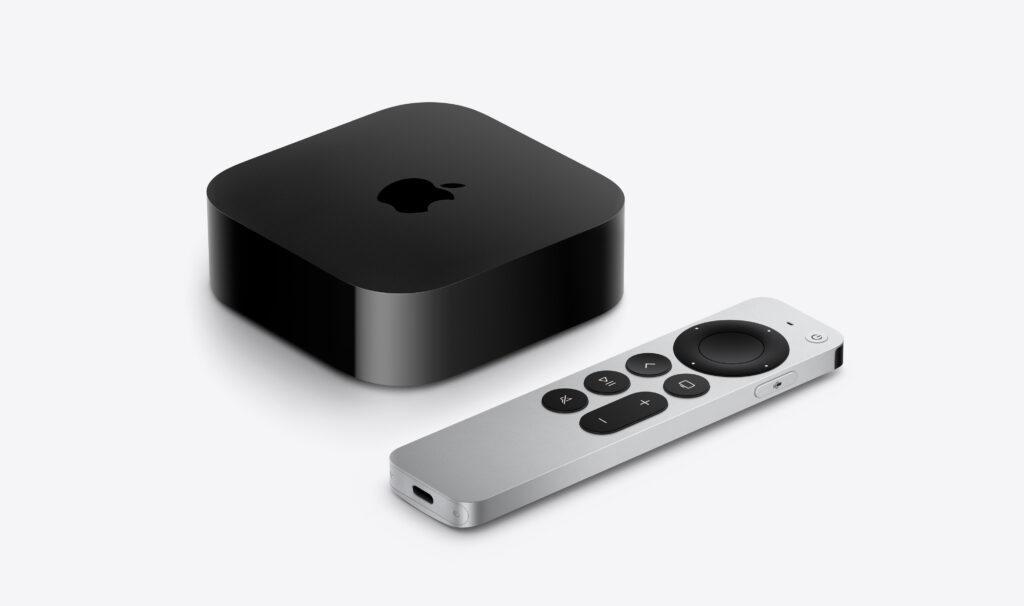
If you have an older non-smart TV that meets your needs, you’re in luck—an Apple TV provides streaming capabilities while avoiding the privacy concerns that plague modern TVs. For everyone else, here’s what you need to know about how TV manufacturers are monetizing your viewing habits and how an Apple TV protects you.
Arguably, the longevity of large-screen TVs has contributed to this trend. In the past, TV manufacturers focused on selling as many TVs as possible. Consumers see less need to upgrade when a modern 55-inch TV offers little beyond what a 15-year-old TV of the same size can provide. Sure, it might be a bit brighter, have better color accuracy, or provide higher refresh rates, but for most people watching streaming video in a dark room, such changes aren’t very noticeable.
In response, TV manufacturers have lowered prices to boost sales and turned to alternative revenue streams, including collecting and selling viewer data and displaying ads. Data can be sold to companies like Nielsen, a data and marketing measurement firm, and leveraged to provide advertisers with targeted audiences. Smart TV ad revenue is estimated to reach $46 billion worldwide this year, up 20% after another 20% increase in 2024. These ads appear on the smart TV’s home screen and in free, ad-supported streaming channels.
TV manufacturers track viewing habits using a technology called automatic content recognition (ACR). Software loaded on the smart TV captures frame-by-frame screenshots of content, creates a fingerprint for each frame, and then matches the fingerprint against an online database to determine what you’re watching. It works with all types of viewing, from standard TV to gaming. Since that data is tied to your specific household, companies can create audience segments and either use it for their own advertising or sell it to third parties. One analyst suggests you’re worth about $20 per year.
Wait, it gets worse! Many smart TVs feature microphones to enable voice commands, and some also include cameras to support video calling capabilities. Manufacturers can use captured audio and video to monitor viewer engagement—are you actually watching the show, or is it just playing in the background? That data also feeds into the profile that the TV manufacturers maintain about you.
If all this feels creepy to you, you’re not alone. Most annoyingly, apart from the opportunity to buy a cheap TV, there’s essentially no ongoing benefit to you in having your viewing habits packaged and resold. At most, you might get to ignore slightly more targeted ads.
If you currently have a smart TV or are looking to replace an older TV, there’s an easy solution: use an Apple TV instead of the smart TV’s built-in apps or a similarly problematic media streaming box from the likes of Amazon, Google, and Roku. Although Apple isn’t perfect when it comes to privacy, the Apple TV provides a complete streaming solution that doesn’t share your viewing data with advertisers and data brokers. Here’s how:
Even with an Apple TV, you’ll need to take a few additional steps to protect your privacy since smart TVs can still track content playing through HDMI connections:
By turning off ACR, disconnecting the smart TV from the Internet, and using an Apple TV instead of a smart TV’s built-in apps or other streaming devices, you can enjoy your favorite shows without feeling like you’re being watched.
(Featured image by Apple)
Social Media: While you’re watching TV, your smart TV is watching you. Find out how manufacturers track your viewing habits and learn simple steps to protect your privacy with an Apple TV.
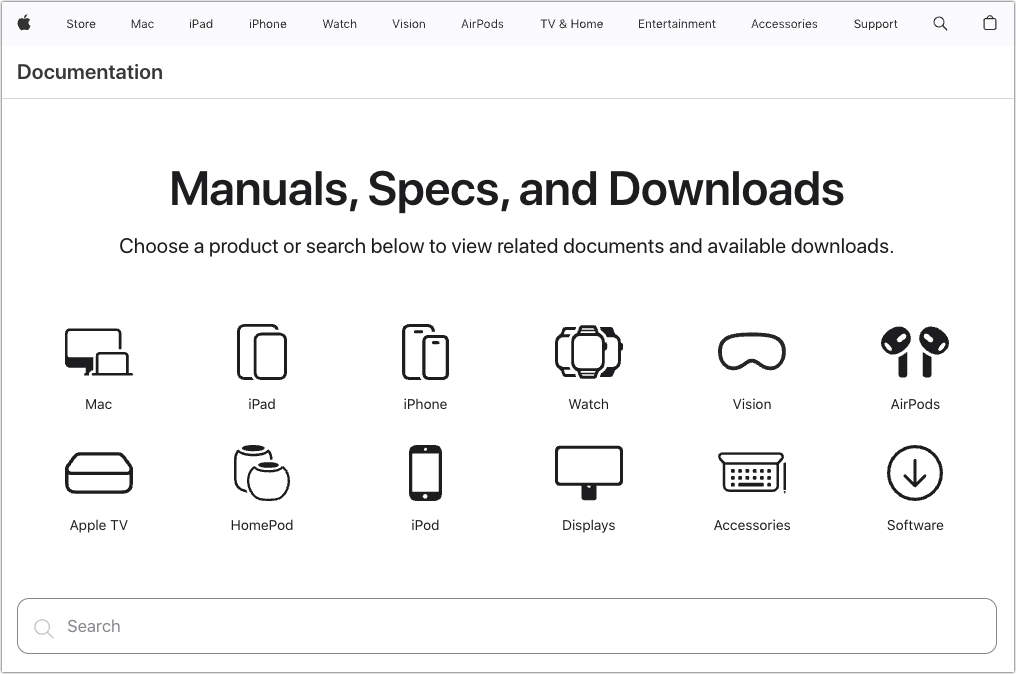
Apple publishes a multitude of manuals and tons of technical documentation for its products on its support site, but until recently, it could be challenging to find something specific because the search engine on Apple’s site is poor. For a better path into Apple’s online support materials, check out the company’s new Documentation site, which brings together manuals, specs, and some downloads for nearly all its products. The operating system User Guides are particularly helpful, and they even provide a Version pop-up menu that lets you make sure you’re getting information for the version you’re using.
(Featured image by iStock.com/Ildo Frazao)
Social Media: Do you want to read the actual manuals or specs for Apple products? You can now easily find them on Apple’s new Documentation website.
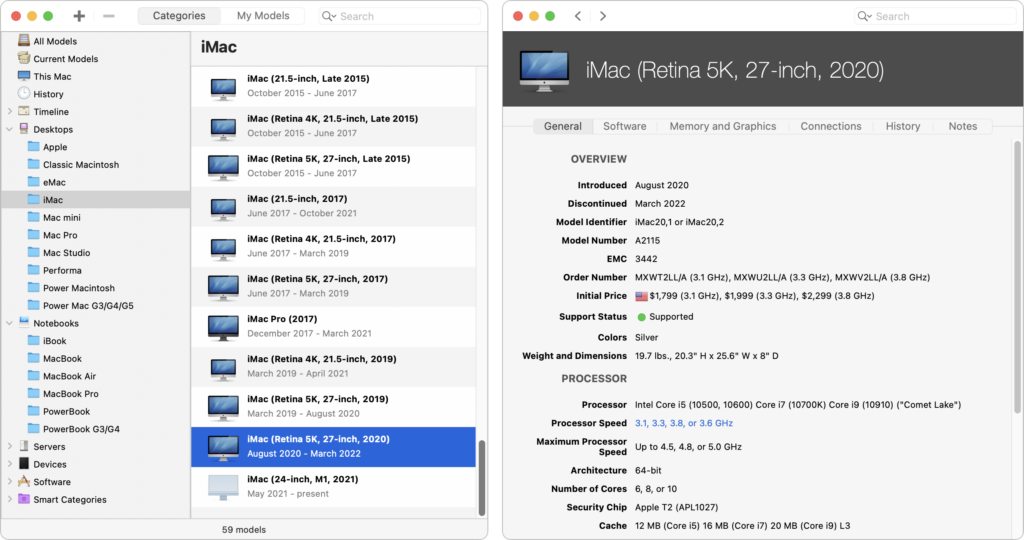
It’s difficult for even those who work with Apple devices daily to remember all the details. What processors were available with the 2020 iMac? What resolutions did the Apple Thunderbolt Display support? What are the differences between the fifth and sixth generations of the iPad mini? To find the answers to these and many other questions quickly, turn to Ian Page’s free Mactracker app, an indispensable repository of information about Apple products. Versions are available for the Mac and the iPhone and iPad.
(Featured image based on an original by iStock.com/Shahid Jamil)
Social Media: If you ever need to look up technical details about an Apple product, look no further than the Mactracker app, which provides specifications for every Mac, iPhone, iPad, and iPod ever made. It’s an indispensable free download.
At Apple’s Worldwide Developer Conference in June, the company unveiled the upcoming versions of its operating systems: macOS 14 Sonoma, iOS 17, iPadOS 17, watchOS 10, and tvOS 17. They won’t be available until September or October of 2023, and even once they ship, we recommend waiting a few weeks before upgrading your smaller Apple devices and holding off on macOS upgrades for a couple of months.
Regardless, it’s worth considering how these operating systems might impact your plans to buy new hardware in the next six months. Any Apple device you purchase now—or have bought in the last five years—can run the new operating systems. But some devices that can run the current macOS 13 Ventura, iOS 16, and iPadOS 16 won’t be upgradable to their replacements later this year. More importantly, some older devices that can be upgraded won’t support all the new features.
Here’s what you’ll need and compatibility gotchas to keep in mind.
For macOS 14 Sonoma, Apple has dropped support for Mac models released before 2018. That works out to five models across the iMac, MacBook Pro, and MacBook product lines. If you rely on one of those Macs and want to run Sonoma, think about when it would make sense to buy a new Mac, perhaps in early 2024. By then, all new Macs will likely ship with Sonoma. These Macs can run Sonoma:
The specific 2017 Mac models that are stuck at Ventura are:
Unsurprisingly, some new features in Sonoma require sufficient processing power that they work only on Macs with Apple silicon—one of the M1 or M2 chips.
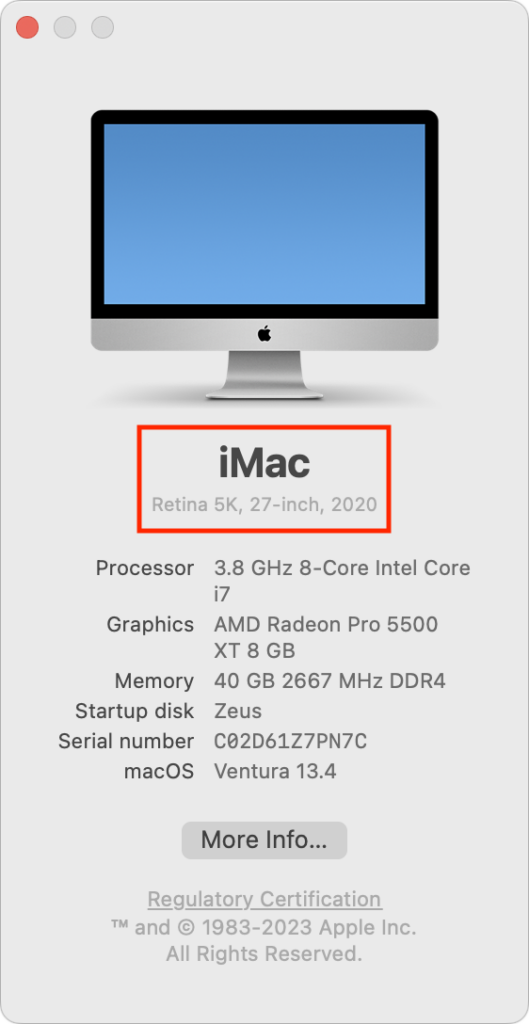
If you’re unsure which Mac you have, choose About This Mac from the Apple menu.
With iOS 17, Apple has maintained the same cutoff date as Sonoma, supporting all iPhone models released in 2018 and later. That means you’ll be able to run iOS 17 on these iPhones:
Practically speaking, these iOS 16-compatible devices won’t be able to upgrade to iOS 17:
Several new iOS 17 features have more restrictive system requirements.
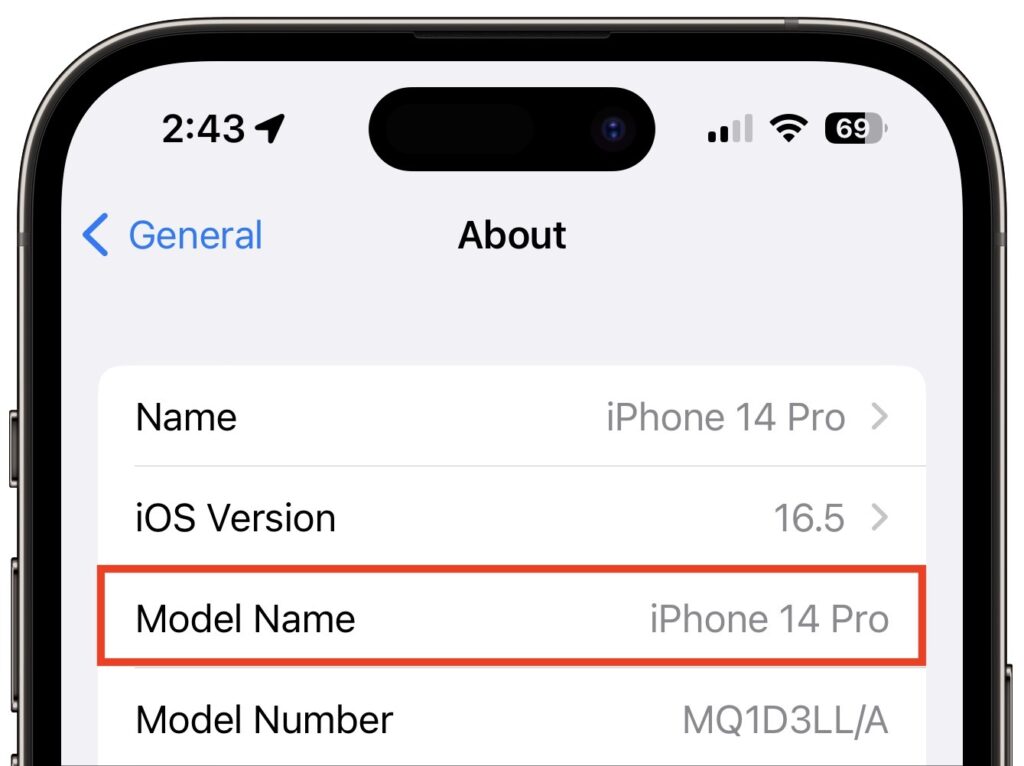
If you can’t remember which iPhone model you have, go to Settings > General > About and look next to Model Name. This works for the iPad, too.
It’s more involved to determine whether your iPad can upgrade to iPadOS 17 because there are four different iPad model types with varying capabilities. These models can run iPadOS 17:
While that list encompasses a lot of iPads, a simpler way to look at it is that only three iPad models that can run iOS 16 won’t be able to upgrade to iOS 17:
Because Apple extended overall iPadOS 17 compatibility somewhat further back than it did with iOS 17 and macOS Sonoma, quite a few iPadOS 17 features work only on select models:
The Apple Watch has a simple upgrade story: every model compatible with watchOS 9 can also run watchOS 10. That means everything from the Apple Watch Series 4 up through the Apple Watch Ultra, including the Apple Watch SE. (Look in the Watch app on your iPhone if you can’t remember which model you have.)
Two of the new features promised for watchOS 10 work only on specific models:
As with the Apple Watch, the Apple TV upgrade situation is easy to understand: tvOS 17 will run on the Apple TV HD and Apple TV 4K (1st and 2nd generation), just as with tvOS 16.
However, note that the promised option to let you use the mic and camera from an iPhone or iPad for FaceTime calls on the Apple TV works only if you have an Apple TV 4K (2nd generation). That might be the first real reason to upgrade from an older Apple TV.
(Featured image by Apple)
Social Media: Later this year, Apple will release macOS 14 Sonoma, iOS 17, iPadOS 17, watchOS 10, and tvOS 17. Here’s the hardware you’ll need to run these operating systems—and to support some of the whizzier features.
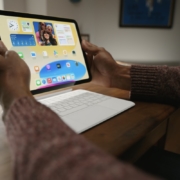
In a series of press releases—no big video event this time—Apple has announced upgrades to the iPad, iPad Pro, and Apple TV. The new models are largely evolutionary, with changes that are welcome but unlikely to change your iPad or Apple TV experience. All are available to order now, with the new iPads arriving on October 26th and the new Apple TV hitting stores on November 4th.
One other note. iPadOS 16 and macOS 13 Ventura ship on October 24th. iPadOS 16 is probably safe to install soon, given the extent to which it’s similar to iOS 16, though the Stage Manager window management feature still has rough edges. Do not upgrade to Ventura until we’ve had a chance to evaluate its stability and compatibility.
The product receiving the most significant changes is the iPad, now in its tenth generation. Apple redesigned it to look and work more like the iPad Air, with squared-off sides, an all-screen design, a 10.9-inch display, USB-C instead of Lightning, and Touch ID in the top button. Also like the iPad Air, the iPad now has a 12-megapixel rear-facing camera and features Wi-Fi 6 plus 5G support in the cellular models for faster connectivity. Perhaps most interestingly, Apple finally repositioned the front-facing 12-megapixel camera along the landscape (long) edge of the iPad so you’ll be looking into the camera for video calls. Oddly, the new iPad Pro models didn’t also receive this improvement.
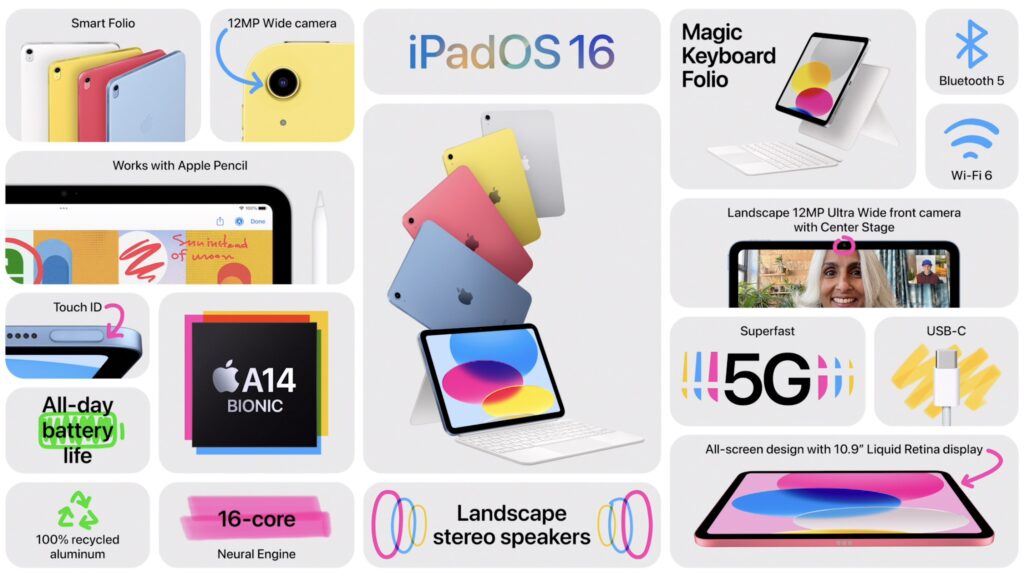
Despite the similarities, the iPad Air retains its technical superiority (and justifies its higher price) in two big ways. First, the tenth-generation iPad relies on the A14 Bionic chip that’s faster than the ninth-generation iPad’s older A13 Bionic but slower than the iPad Air’s higher-performance M1 chip. Second, the tenth-generation iPad remains compatible only with the first-generation Apple Pencil, presumably because Apple left the wireless charging hardware out to cut costs. Since the new iPad switches from Lightning to USB-C, you’ll need a $9 USB-C to Lightning adapter to pair and charge the Lightning-based Apple Pencil—that’s awkward.
Apple also introduced a new keyboard exclusively for the tenth-generation iPad, the Magic Keyboard Folio. It features full-size keys, a large trackpad, and a 14-key function row. The two-piece design separates the keyboard from the back cover, so you can fold the keyboard behind the iPad or detach it entirely when you’re not using it. The back cover has an adjustable stand for positioning the iPad at several angles. It’s available only in white.

The only problem is that all these changes come at a cost. Historically, the iPad has been Apple’s best value, with the ninth-generation iPad’s price starting at just $329. The new tenth-generation iPad now starts at $449 for the 64 GB Wi-Fi model. Add $150 if you prefer 256 GB of storage, and another $150 if you want cellular capabilities too. You can choose from blue, pink, yellow, and silver finishes.
So now, when pondering a full-size iPad, you have three options. The ninth-generation iPad remains available at $329 for those looking to pay the least. The tenth-generation iPad is now the middle choice at $449. And for those who want a better Apple Pencil experience, faster performance, and slightly better specs, the iPad Air starts at $599.
Apple has also updated the iPad Pro, but with fewer changes. Foremost among them is Apple’s M2 chip, which provides the iPad Pro with the ultimate in performance. The M2 enables users to capture ProRes video for the first time and to transcode ProRes video up to three times faster than before.
That said, only those already pushing the limits on the previous iPad Pro models should consider upgrading from the previous M1 models since the difference isn’t likely to be that noticeable for less demanding workflows. Similarly rarified is the move to Wi-Fi 6E, which supports wireless networking at up to 2.4 Gbps, or twice as fast as the previous generation. Apple also expanded the 5G networking for the cellular-capable models to support more 5G networks around the world.
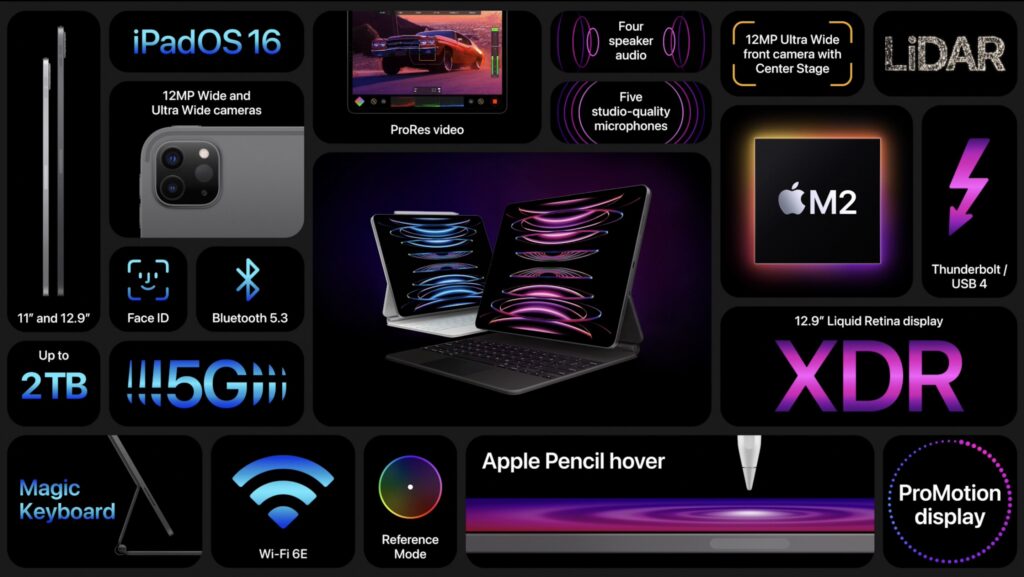
The new iPad Pro can also detect when the second-generation Apple Pencil is hovering up to 12 millimeters above the screen, displaying a circle that helps you position the tip of the Apple Pencil more precisely.
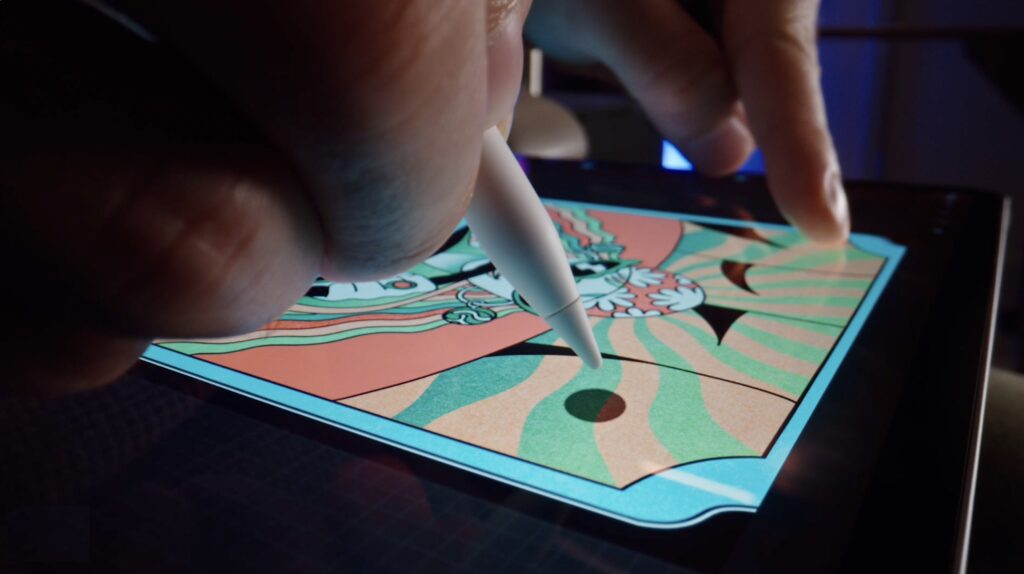
The new iPad Pro retains the same pricing, with the 11-inch model starting at $799 and the 12.9-inch model starting at $1099.
Increasingly, Apple is targeting the iPad Pro at video, audio, and graphics professionals interested in iPad-focused workflows. If that’s you, the new iPad Pro is worthwhile; those just looking for a high-performance iPad would be more economically served by the M1 iPad Air, which is $200 less expensive.
Along with the new iPads, Apple also refreshed its Apple TV lineup, introducing the third-generation Apple TV 4K and dropping the old Apple TV HD. The design remains essentially the same, with the big change being an upgrade from the previous model’s A12 Bionic chip to the faster A15 Bionic for faster performance and more fluid gameplay. Apple also doubled the storage and added support for HDR10+ to provide the best possible video quality across more TVs. Finally, the Siri Remote now charges via USB-C instead of Lightning.
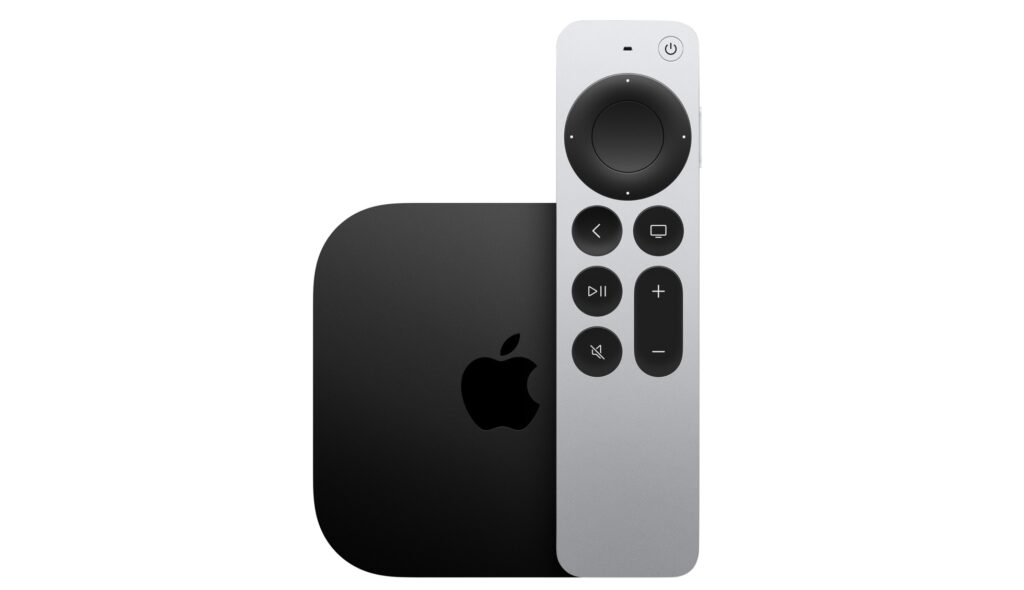
The new Apple TV 4K comes in two models, much like previous generations, but this time there are differences beyond storage, which is important only for apps and games. The $129 Apple TV 4K (Wi-Fi) provides 64 GB of storage and supports only wireless networking, whereas the $149 Apple TV 4K (Wi-Fi + Ethernet) comes with 128 GB of storage, includes a Gigabit Ethernet port for faster wired connectivity, and supports the Thread mesh networking protocol for smart home accessories.
Those prices are $50 lower than the previous generation’s. For those who aren’t interested in Apple TV games, home automation, and wired networking, the $129 Apple TV 4K (Wi-Fi) is significantly more compelling than last year’s more expensive model.
(Featured image by Apple)
Social Media: Apple has released a redesigned tenth-generation iPad with the new Magic Keyboard Folio, new M2 iPad Pro models, and a lower-cost Apple TV 4K with a faster processor and twice the storage. Read on for details:

After months of anticipation, Apple’s new HomePod smart speaker finally shipped in mid-February. Reviews of its audio quality have been positive, and for the most part, it works both as advertised and as you’d expect. However, there were some surprises, most good but some bad. Whether you have a HomePod on your credenza (which may be a bad spot for it!) or you’re still deciding if you want to buy one, here are ten things you should know:
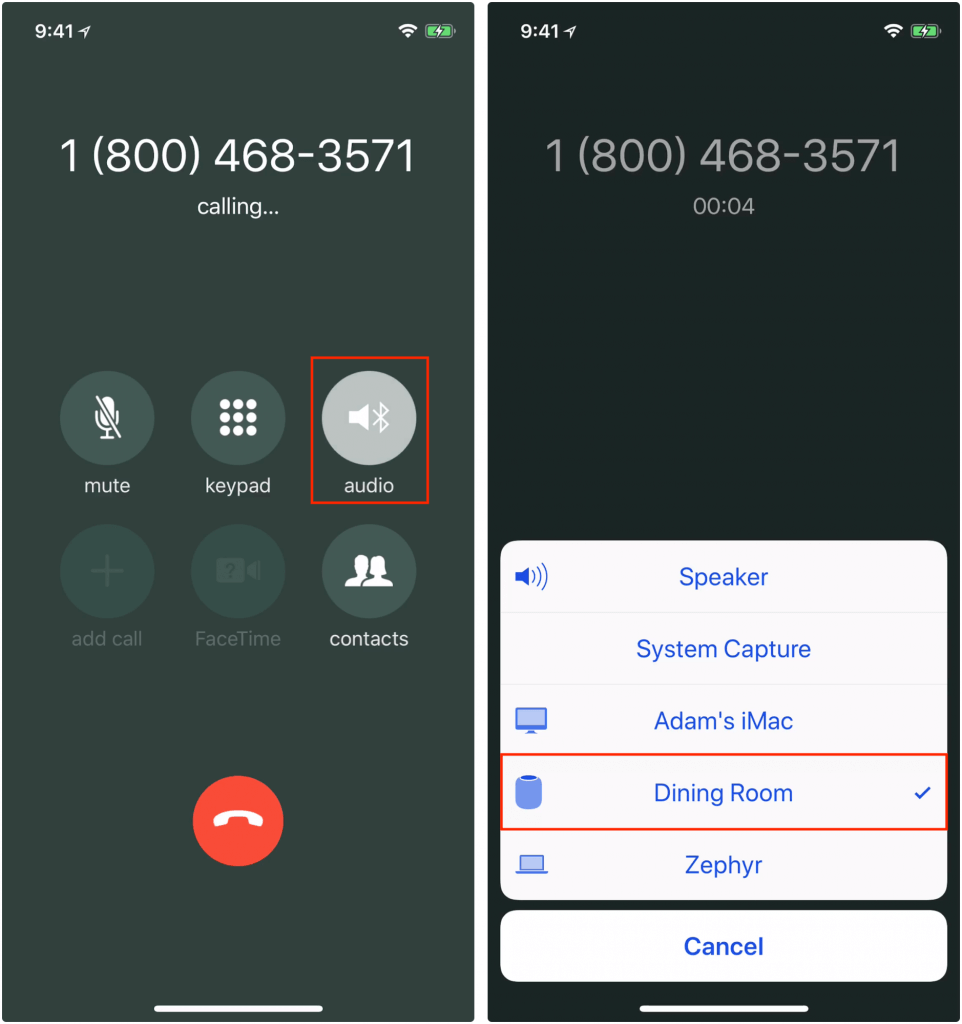
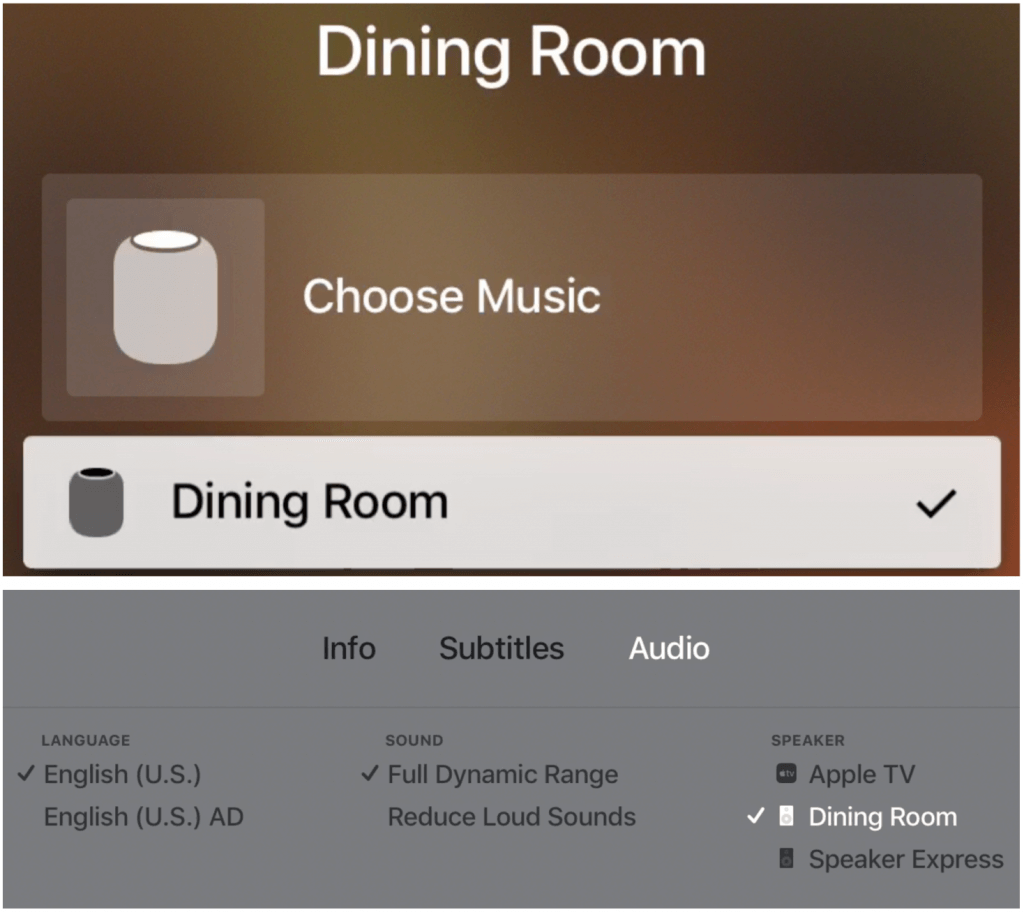
Much as the HomePod works well right now, it stands to improve in the coming year. Apple plans to release software updates that will enable two HomePods in the same room to provide true stereo sound, and that will let you control multiple HomePods simultaneously for multi-room audio.